Invoice follow-up companion
Know who hasn't paid.
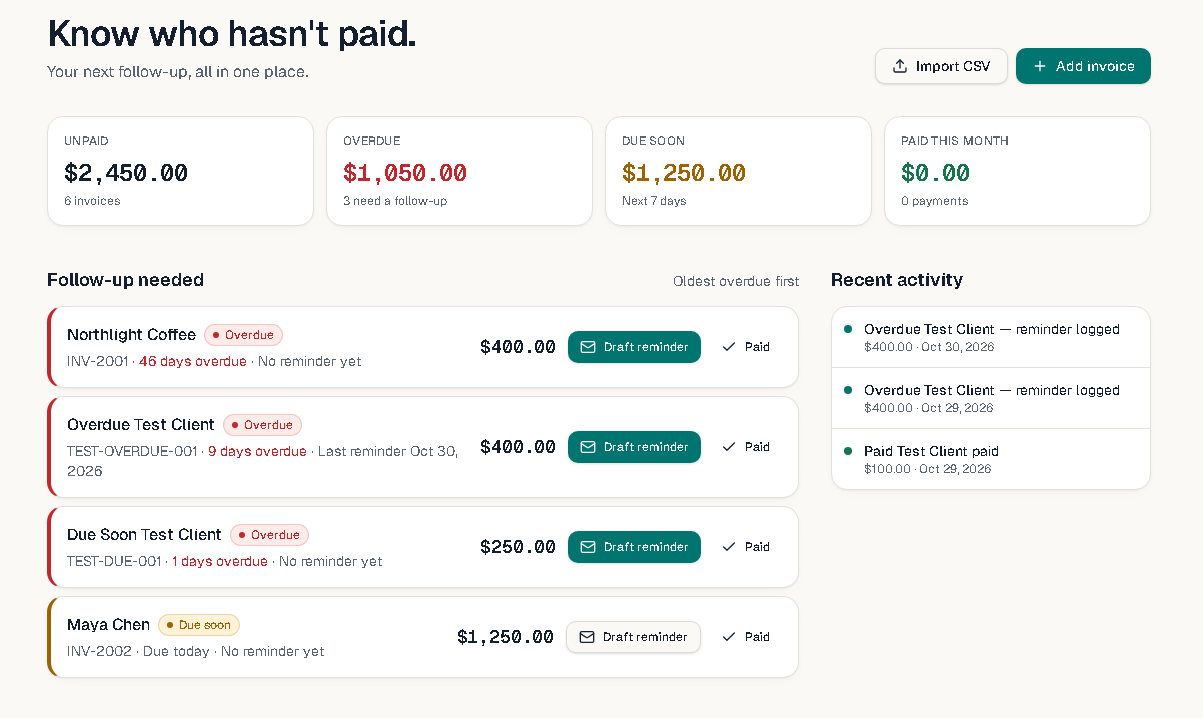
See which invoices need attention and make your next follow-up easier.
The problem
Getting paid shouldn't mean keeping a mental list.
Overdue invoices slip out of view
Once an invoice is sent, it's easy for a late one to fade into the background while client work continues.
Following up takes effort
Remembering who to nudge, when, and what you said last time can take more time and energy than it should.
Re-entering details adds work
Copying invoice details from one tool into another creates busywork you don't need.
How it works
Three simple steps.
- 01
Add your invoices
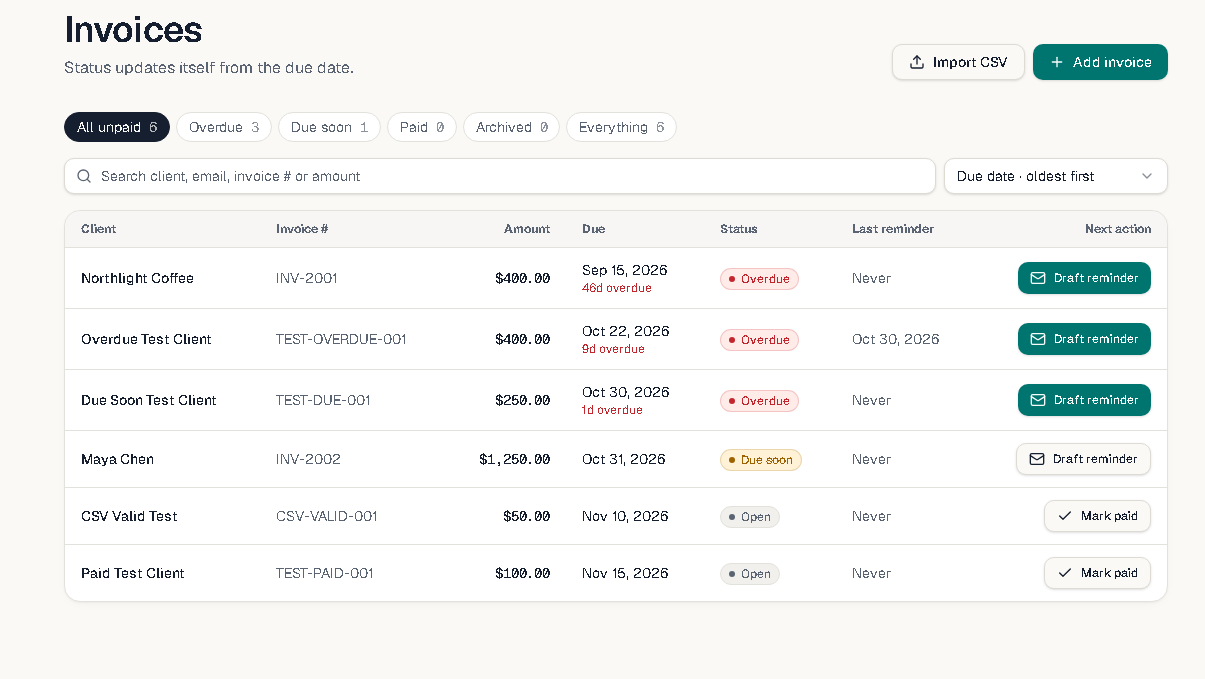
Add an invoice manually or import a CSV from the invoicing tool you already use.
- 02
See what needs attention
See unpaid and overdue invoices, their due dates, and which ones need attention.
- 03
Prepare your reminder
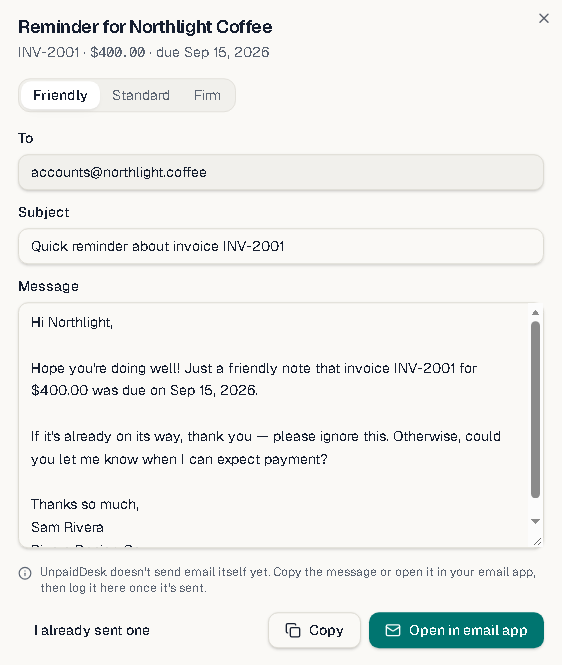
Prepare an editable reminder, send it yourself from your email app, then log that you sent it.
UnpaidDesk doesn't send emails for you — you send reminders from your own email app. When a client pays, you mark the invoice as paid yourself; UnpaidDesk doesn't process or detect payments.
Product preview
A closer look.
What makes it different
A focused companion, not another accounting tool.
UnpaidDesk is built for people who already create invoices elsewhere. It keeps unpaid invoices visible and puts the next action close by — while you keep using your existing tools and payment methods.
- • CSV import — bring invoices in from the tool you already use.
- • Manual status updates — mark invoices as paid when payment arrives.
- • No bookkeeping to replace — it works alongside what you have.
Join the waitlist
Be first to try UnpaidDesk.
Join for updates about beta access and launch. Your email will be used for UnpaidDesk updates.